HALLOWEEN SALE
Get 50% off all plans with coupon SPOOKYEnds Oct 31 at midnight ET
Space Engineers Server Hosting
Space Engineers rewards ambitious builds, but every rotor, piston and thruster your players add is work the server has to simulate. Our Space Engineers server hosting gives your faction an always-online world on Ryzen and Intel i9 processors with NVMe storage, DDoS protection and instant setup, so stations, mining ships and carriers keep running when the host's PC is switched off.
The right plan is not simply the largest one. A small survival group, a modded faction server and a public PvP world load the server in very different ways. We provide a clear control panel, FTP access, backups and upgrade options, backed by a global location network and human support around the clock.
A Space Engineers Dedicated Server for Your Whole Crew
A Space Engineers dedicated server keeps the world available independently of any one player's machine. Members can mine, refine and build on their own schedule, and admins get one stable place to manage settings, saves and restarts.
Connection quality starts with location. Pick the region closest to most of your regular players, then check performance during your busiest evenings rather than on a quiet test run. Our global game server locations and guide on how to choose a game server location help you match the server to the community you actually have.
Keep Sim Speed High as Grids Grow
Sim speed is the number every Space Engineers admin watches. At 1.00 the world runs in real time; when the workload exceeds what the server can process, sim speed drops and ships, pistons and players slow down together. The cause is rarely player count alone.
Active Systems Matter More Than Block Count
A parked station costs far less than a busy one. Rotors, pistons and hinges create subgrids, and those moving parts are harder to simulate than static blocks. Programmable block scripts, timers and sensors also consume processing time, even when nobody is near them.
Use the PCU Limit as a Guardrail
Space Engineers assigns each block a Performance Cost Unit, and a world-wide PCU limit is shared among factions and players. The default world limit is 100,000 PCU, with higher limits available in experimental mode. Treat PCU as a guardrail, not a benchmark: two grids with equal PCU can load the server very differently. Our guide to large grids, mods and PCU covers this in more detail.
Clean Up Debris and Abandoned Grids
Old wrecks, floating debris and abandoned ships keep costing performance. Use the game's cleanup settings for unowned grids, and remove old builds before they pile up over a long-running world.
Space Engineers Server Hosting Plans Built Around Real Workload
Our Space Engineers plans start at $9.99 per month with 8GB of RAM, no player limit and unmetered NVMe storage. Start with a realistic baseline, then review it with sim speed readings from busy sessions before adding RAM.
Server style
Likely priority
Good review point
Private survival group
Reliable access and simple saves
When the group starts building large stations
Modded faction server
Memory headroom and mod discipline
After adding a Workshop mod or game update
Public PvP or economy server
Location, PCU rules and growth capacity
Before a promoted launch or event
Long-running world
Storage, cleanup and backups
As grids and debris accumulate
Not sure where to start? Pick the 8GB plan for a small crew and upgrade from the control panel when sim speed tells you to.
Space Engineers mods from the Steam Workshop can add new blocks, weapons, scripts and automation. They can also be the first place to look when sim speed suddenly drops. Add one mod at a time, back up first, check sim speed afterward, and confirm each mod still works after a game update.
Some communities also run Torch, a server wrapper that adds plugins for profiling, concealment of distant grids and block limits. If you would rather not configure your mod list yourself, our optional Plugin and Mod Install Service can set up compatible mods for you.
Features That Make Administration Easier
Our Space Engineers plans remove routine infrastructure work while leaving you in control of the world.
Instant setup, so you can configure the server minutes after ordering.
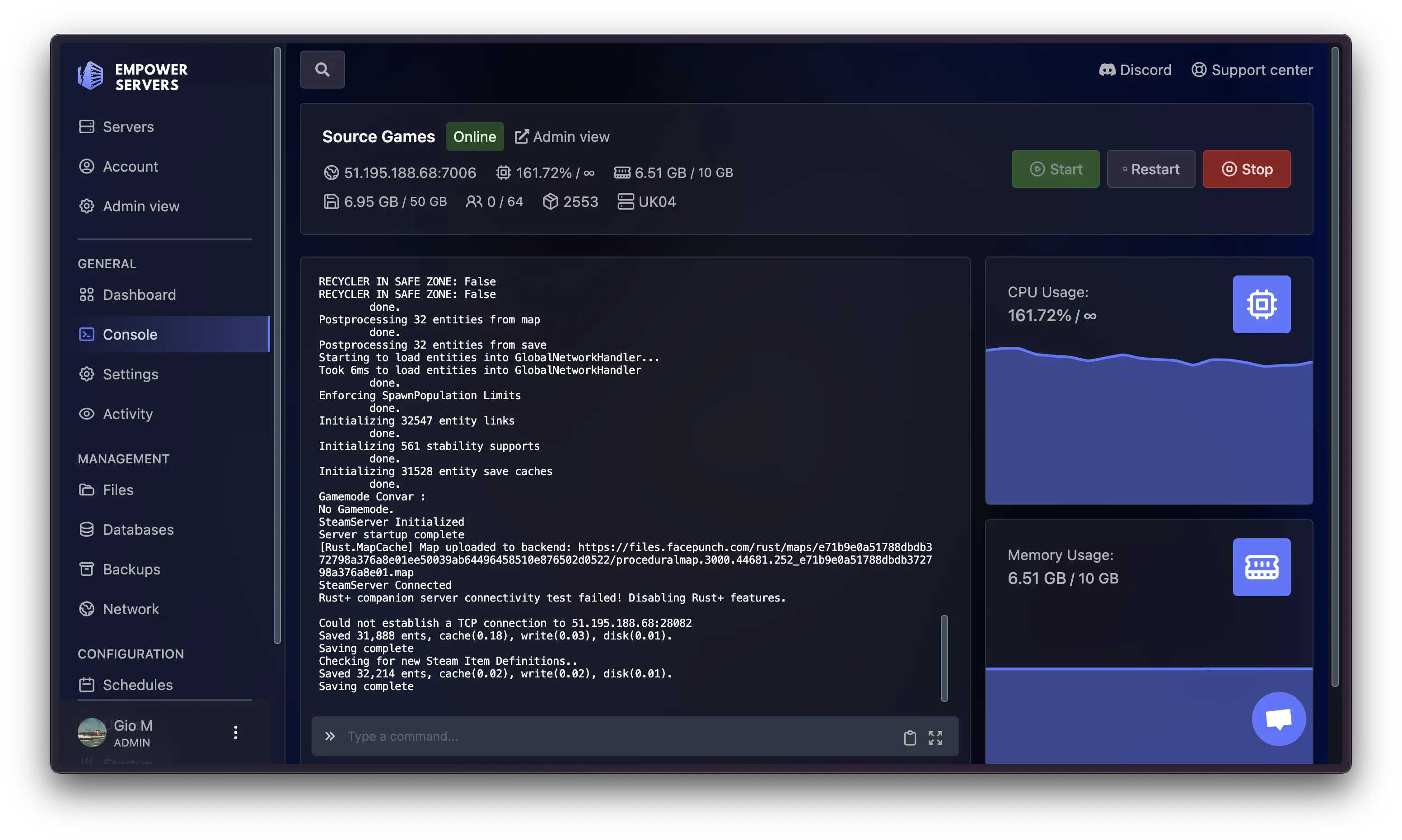
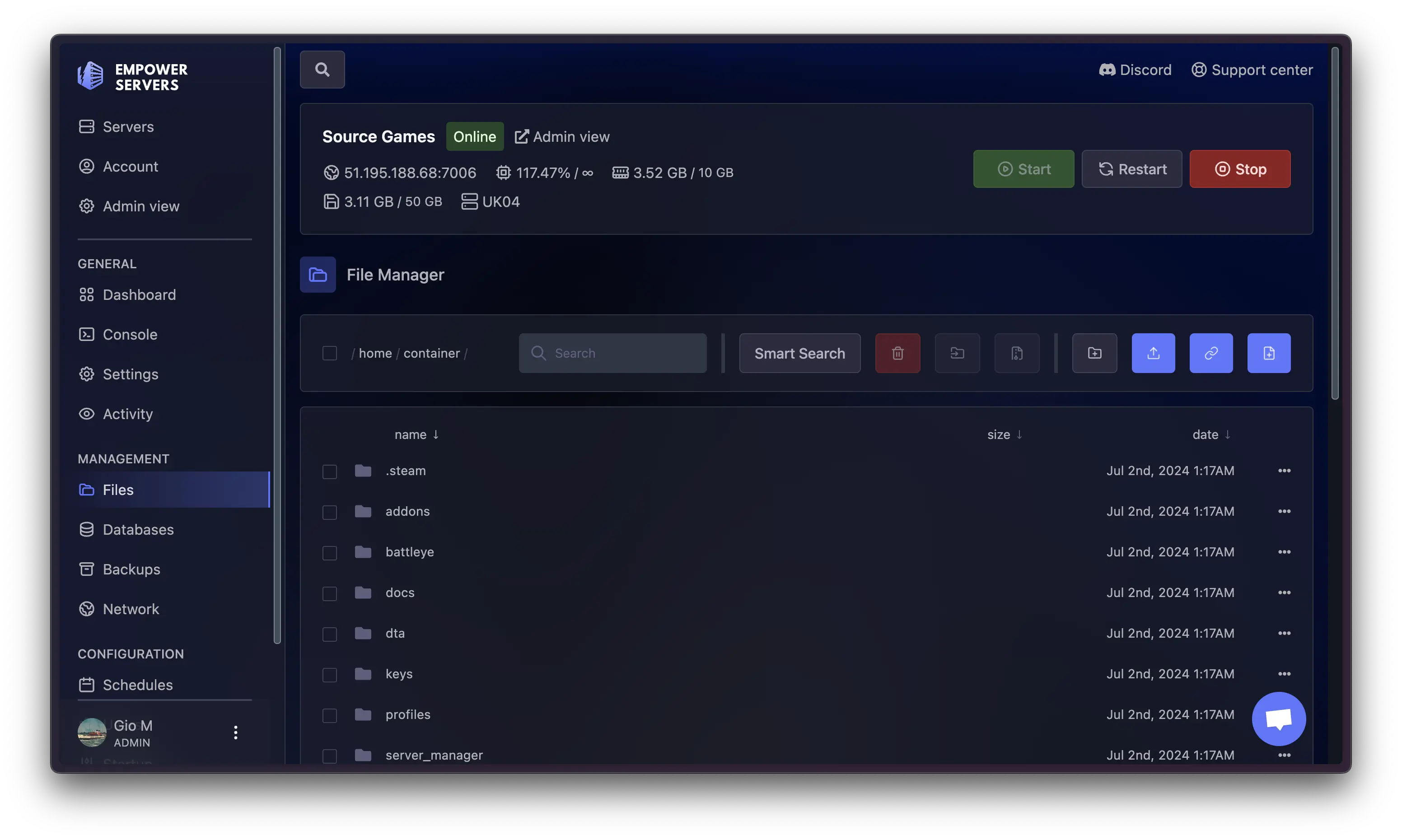
A control panel with a live console, file manager and one-click restarts.
FTP access for configuration files and uploading your own world.
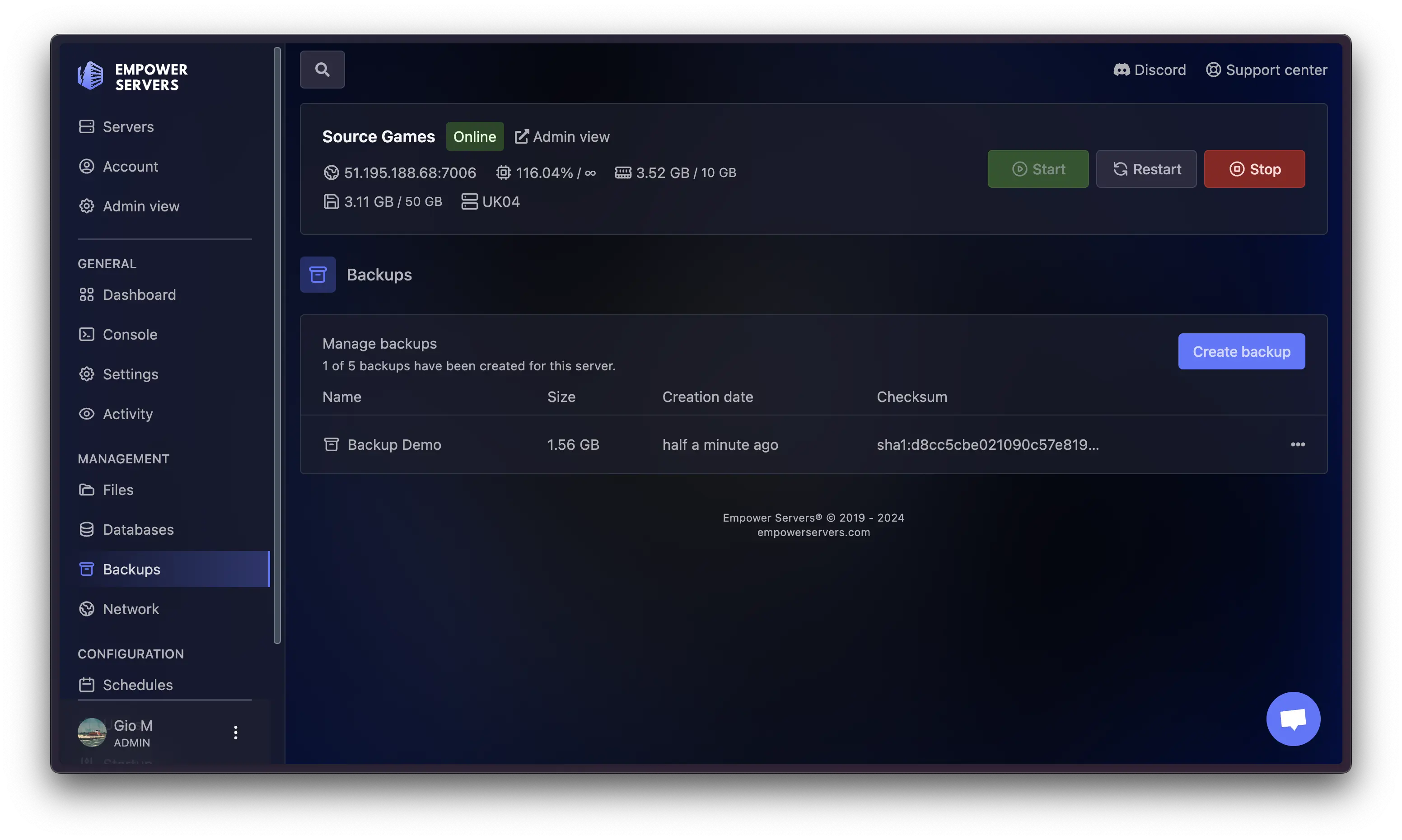
Five backup slots with one-click restore from the control panel.
Ryzen and Intel i9 processors with unmetered NVMe storage.
DDoS-protected networks and a 100% network uptime SLA.
PC and console crossplay support.
Cancel anytime, with a 48-hour refund period (terms apply).
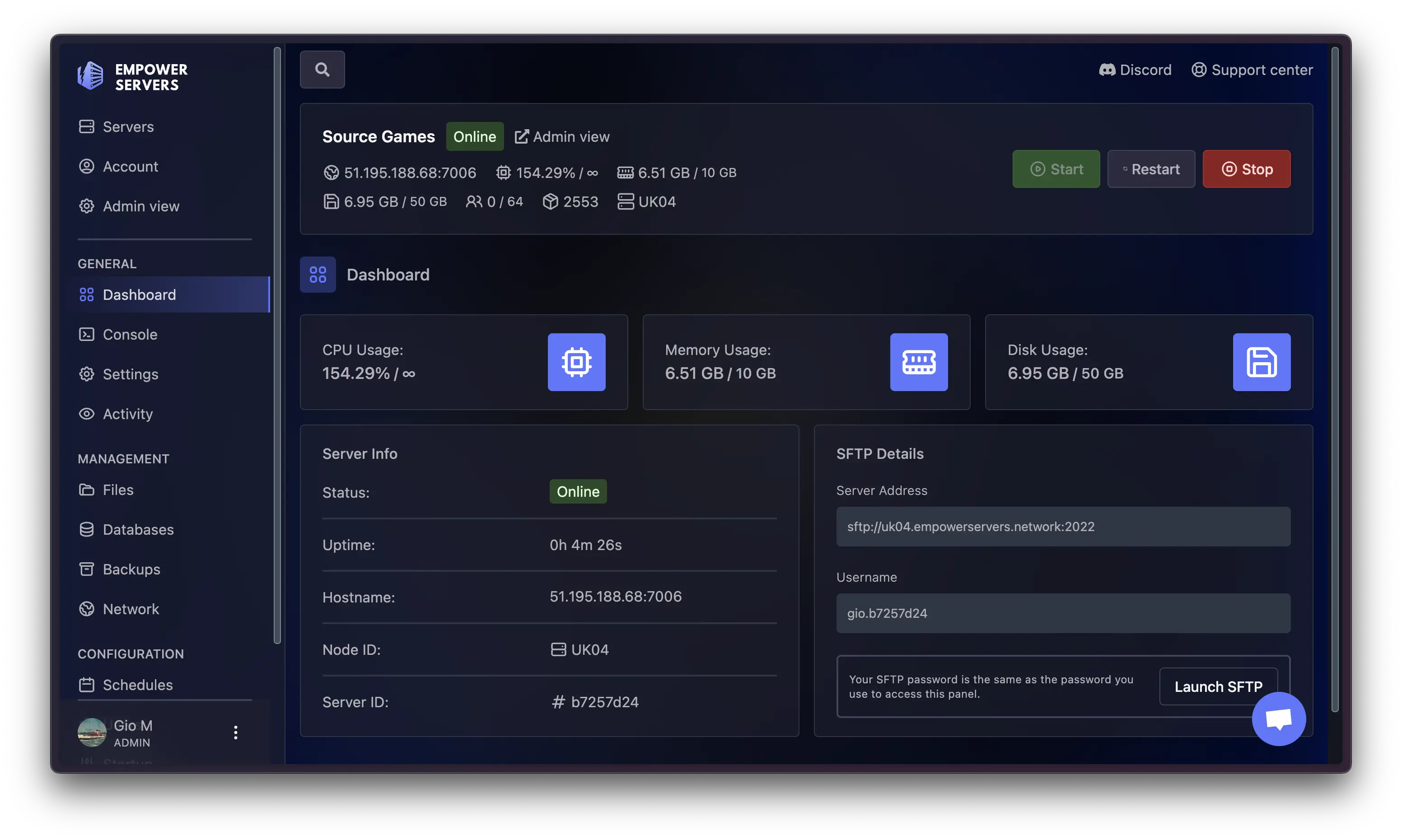
Our control panel includes a robust FTP server as part of the comprehensive stack, facilitating easier management of your server. Manage your server startup and files.
View your server console, op players, and restart your server.
Backup and restore your server with one click. Each server includes 5 backup slots.
Manage your server startup and files. Upload your own world (or use a direct FTP connection).
Protect Your World with Backups
World backups should be part of every major change, not an afterthought. Take a backup before adding mods, changing PCU or cleanup settings, or applying a game update. Label each one with the date and reason so another admin knows which copy to restore.
Moving an Existing World
If you are migrating from a home-hosted or other provider's server, upload your save through FTP and keep a separate local copy until the new world has run cleanly through a few busy sessions. Our support team can help with hosting-side questions during the move.
Launch a Space Engineers Server That Can Grow
Before launch, choose the location nearest your core players, decide on survival or creative settings, set PCU and cleanup rules, and back up any world you plan to upload. Add essential mods first and test them under realistic activity.
After launch, treat player reports as a diagnostic signal. Note when sim speed dropped, how many players were online and what had changed, whether a new grid, script, mod or update. Those notes separate a local connection issue from a build or resource constraint. If your group also plays other space sandboxes, our Empyrion server hosting runs on the same network.
Empower Servers provides Space Engineers server hosting so you can concentrate on the build, not the infrastructure. Choose your location and plan, configure the world, and bring your crew online.
Space Engineers Server Locations for Low Latency
Connection quality starts with location. Pick the region closest to most of your regular players, then check performance during your busiest evenings rather than on a quiet test run.
Canada
United States
United Kingdom
Germany
Finland
Spain
Poland
South Africa
Middle East
Mexico
Brazil
Argentina
Australia
New Zealand
Singapore
Whether you're looking to buy Minecraft game servers or another game we offer, the key is a low-lag experience. We deliver this to you by using the latest Ryzen and Xeon-E processors hosted on the best networks.
“Had some issues setting up my new Enshrouded server, which I wasn't able to solve myself via google searching. Used the live chat to talk to Empowers support team and had my issues sorted out in no time! Stoked with their customer service and helpful team members, will definitely continue using Empower Servers, thanks guys!”
“i went through a couple other server providers and emplower has been one of the best. when i first buged them in chat it only took a few seconds for them to reply with answers to my questions. so i signed up a new server and since then when i needed help clicked check filled out who i was and got a reply from a HUMAN with in few seconds not some AI that showed me google searchs. great server hosting will use them again for sure!”
“I am father to a 10 year old who loves tech and especially Minecraft, hosting a server where he can apply custom mods and create with his friends. He knows way more than me, but sometimes we’ve run into issues understanding the service - and the Empower team has been great! Super responsive and clear in email and chat. Patient and helpful. It keeps us engaged and coming back because we can learn and expand with them (rather than getting frustrated and losing interest). Recommend!!!”
“Empower Servers customer service is spot on. Fast, responsive and rapid to get your issues resolved. I could not have asked for a better CSA than Gio who helped me setup my server in record speed! HIGHLY recommend!”
Enter the code at checkout. Works on monthly, 3, 6 and 12 month plans.
Ends Oct 31 at midnight ET
SPOOKY
50% OFF your first payment with code SPOOKY
· Ends Oct 31 at midnight ET
Wait! Don't Leave Yet!
Get 50% OFF All Plans
Limited time offer for new customers
Ends Oct 31 at midnight ET
Use Promo Code:
SPOOKY
*Offer valid for new customers only. Limited one per customer. The 50% discount applies to your first payment only, including 3, 6 and 12 month plans. Regular pricing applies after that.